
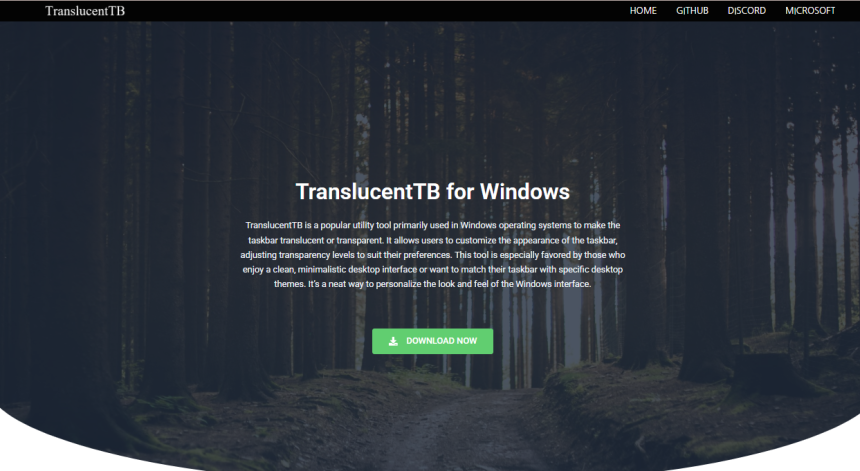
Windows desktops have come a long way, but there’s always room for personalization. One of the most significant visual upgrades many users crave is a sleeker, more modern taskbar. That’s where TranslucentTB enters the scene — a small but powerful utility that’s winning hearts across the Windows community.
So what’s the buzz all about? Why are so many users ditching the default opaque taskbar and switching to this lightweight tool? Let’s dive into the transformation that TranslucentTB offers and explore how it’s redefining Windows customization.
Modern Desktops Demand a Sleek Look
A cluttered or solid taskbar can feel outdated, especially on high-resolution displays. With glassy interfaces and minimalism taking over design trends, users want their desktops to look cleaner, lighter, and more refined.
TranslucentTB helps achieve exactly that by giving users complete control over their taskbar’s transparency, blur, and color. Whether you’re working with a productivity-focused setup or a visually immersive one, this tool delivers an aesthetic that complements your wallpaper and window style without stealing focus.
Interface Simplicity Meets Deep Customization
TranslucentTB shines through its balance — it’s straightforward to install and run, yet it offers deep customization under the hood.
Once installed, it sits quietly in the system tray. Right-clicking the icon reveals all the options: you can switch between normal, blur, transparent, and opaque modes with just a click. For users who want more control, advanced options allow for tweaking taskbar appearance depending on your activity, like when a window is maximized, when you’re on the desktop, or when the Start menu is open.
Such dynamic behavior customization is rarely seen in lightweight tools, and it’s part of what keeps power users hooked.
Performance That Doesn’t Weigh You Down
One of the top reasons for TranslucentTB’s popularity is its performance efficiency. It consumes very little memory and CPU resources, which means your system stays fast and responsive.
Unlike bloated skin packs or theme managers, TranslucentTB doesn’t interfere with core Windows files. It overlays visual enhancements without rewriting anything essential, making it not only faster but also safer and more stable than many alternatives.
Gamers, streamers, and developers who demand high system performance appreciate this lean footprint. It offers style without sacrificing speed.
Seamless Integration With Windows
Rather than fighting against the operating system, TranslucentTB works in harmony with Windows 10 and 11. It respects system behavior, scales beautifully with high-DPI monitors, and aligns perfectly with existing desktop themes.
Windows power users love tools that feel native, and TranslucentTB delivers that experience. It launches at startup, requires minimal input after setup, and never nags with pop-ups or ads.
Plus, it’s open-source, which builds trust and allows users to inspect or modify the codebase — a significant win for transparency and community-driven improvement.
A Huge Community of Enthusiasts
Over the years, TranslucentTB has built a loyal following. Browse Reddit threads, YouTube customization guides, or productivity forums, and you’ll see glowing reviews and screenshots from users showing off their transparent setups.
Communities regularly share new wallpaper ideas, color overlays, and synergy with other tools like Rainmeter, Wallpaper Engine, or RoundedTB. These integrations create stunning, futuristic desktop environments that look straight out of a sci-fi movie.
This social momentum is pushing even casual users to try it out. Once they do, a few go back to the default taskbar.
No Bloat, No Gimmicks, Just Pure Customization
Many visual enhancement tools try to bundle unnecessary features. Taskbar replacement software often includes animations, widgets, or launchers you never asked for. These extras can slow down your machine and clutter your screen.
TranslucentTB focuses purely on one thing—making the Windows taskbar look better. There are no distractions, no upsells, just a lightweight executable that does exactly what it promises.
This singular focus appeals to users who want results without the nonsense. In a world full of bloated software, TranslucentTB’s minimalist approach feels like a breath of fresh air.
Compatible With Work and Play Environments
Whether you’re editing video, gaming, coding, or just browsing, a customizable taskbar can improve your visual comfort and focus. TranslucentTB adapts to whatever environment you’re in.
Designers love it because it lets the wallpaper shine through. Developers appreciate the distraction-free aesthetic. Office users enjoy how it blends into the desktop without screaming for attention.
It subtly elevates the entire workspace, creating an environment that feels more personal and polished.
Features That Keep Evolving
TranslucentTB isn’t a static project. It’s been consistently updated since its launch, with contributors adding features based on user feedback.
Recent builds introduced support for multi-monitor setups, dynamic profiles based on window focus, and taskbar corner rounding that aligns with Windows 11’s Fluent Design.
Users switching from commercial tools often mention how shocked they are that something this powerful remains free and continuously improving. The tool’s open-source nature invites innovation and ensures it won’t get abandoned.
A Perfect Companion to Other Customization Tools
TranslucentTB doesn’t try to do everything — and that’s exactly why it works so well alongside other tools.
Want rounded taskbar corners? Pair it with RoundedTB. Want interactive widgets? Use Rainmeter. Want animated wallpapers? Go with Wallpaper Engine.
The beauty of TranslucentTB lies in its compatibility. It doesn’t override other enhancements, and it doesn’t fight for dominance. It integrates — cleanly and cooperatively.
Power users building intricate desktop setups rely on that flexibility. They can use TranslucentTB as a foundational layer that sets the tone for their entire aesthetic.
Free, Open, and Respectful of Privacy
In an age where everything seems monetized or riddled with trackers, it’s refreshing to find a tool that’s truly free, open-source, and respectful of your data.
TranslucentTB collects no analytics, asks for no permissions, and doesn’t run background services that you didn’t approve. It’s the kind of software that puts users first — simple, respectful, and honest.
Many users cite this as a primary reason for switching. Trust matters, especially for a tool that runs every time you boot your machine.
Simple Installation, Easy Uninstallation
Getting started takes less than a minute. You can download TranslucentTB directly from the Microsoft Store, GitHub, or via the Windows Package Manager (winget).
No messy installer or account signup is required. Once it’s running, you can configure settings via a clean, intuitive menu or a simple config file.
If you decide to uninstall it for any reason, the process is just as painless—there are no leftover files, no registry junk, and no surprises.
This low-friction experience adds to the appeal. You try it, you love it — or you don’t. Either way, you stay in control.
Final Thoughts
TranslucentTB may seem like a small tweak, but it makes a big difference. For many Windows users, it’s the gateway to a more personalized, stylish, and productive desktop.
Whether you’re seeking aesthetic cohesion, better focus, or just a cleaner workspace, this tool delivers without the bloat or risk of system instability. Its blend of customization, performance, and transparency is precisely what modern users want.