In a world saturated with disk image mounting and RAMDisk utilities, selecting the right tool can be overwhelming. Many commercial solutions offer flashy interfaces, premium versions, and additional features, but few focus on what truly matters: performance, flexibility, and control. This is where ImDisk Toolkit excels. It’s lean, efficient, and purpose-built for users who want more than just basic mounting options.
Rather than paying for bloated software, power users, developers, and IT administrators are turning to ImDisk Toolkit for a reason. This article examines why you should opt for ImDisk over other tools and what distinguishes it as the go-to utility for advanced disk management on Windows.
What Is ImDisk Toolkit?
Versatile and Lightweight Tool
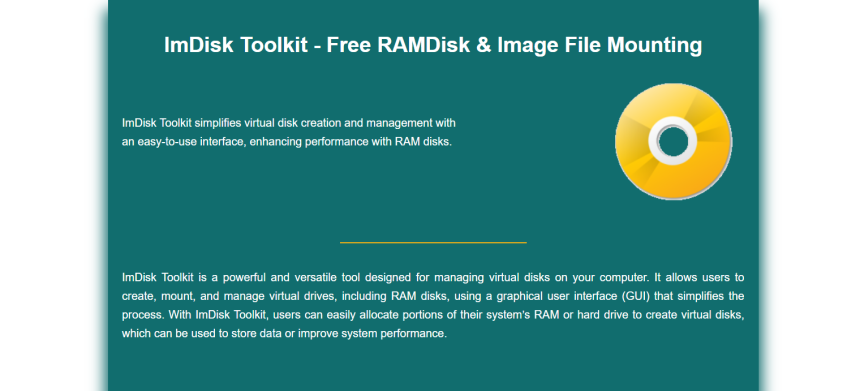
ImDisk Toolkit is a powerful open-source utility designed to mount image files and create virtual or RAM drives. It’s surprisingly lightweight, using minimal system resources while offering deep functionality. Despite its small file size, it rivals the capabilities of many paid tools in the market.
Core Components in One Package
The toolkit bundles multiple components: the ImDisk Virtual Disk Driver, a graphical user interface (GUI), and the DiscUtils library. This makes it more than a simple mounter; it’s a full-featured toolkit. Everything you need for virtual disk handling is built in, eliminating the need for additional tools.
Active Development and Community
ImDisk is maintained by a dedicated developer and supported by an active online community. Frequent updates ensure compatibility with new image formats, Windows versions, and hardware. This ongoing support keeps the tool relevant and dependable.
No Hidden Costs
ImDisk is completely free and open source under the GNU GPL license. Unlike many competitors that lock features behind paywalls or require subscriptions, ImDisk Toolkit gives you full access to all features from the start. No registration, ads, or premium plans.
How ImDisk Excels Over Other Tools
Compatibility with Multiple Formats
While some tools are limited to ISO files or specific image types, ImDisk supports a wide variety of formats, including ISO, BIN, IMG, RAW, VHD, and more. It can even mount legacy or custom image files using built-in support or the DiscUtils library.
Ideal for Power Users and Developers
If you’re a developer or sysadmin, you’ll appreciate ImDisk’s scripting capabilities. Through command-line tools and batch scripts, you can automate tasks such as mounting, creating RAM disks, or managing images. This flexibility makes it easy to include ImDisk in professional workflows.
RAMDisk Feature Built-In
Unlike most disk mounting tools, ImDisk includes the ability to create high-speed RAM disks. This allows temporary data to be stored in memory, enhancing performance for caching, testing, or sensitive data tasks. You won’t find this in many mainstream mounters.
ImDisk Toolkit vs. Commercial Alternatives
No Licensing Hassles
Commercial tools like PowerISO, Daemon Tools, or UltraISO often come with complex license agreements or trial limitations. ImDisk is open source, with none of the license restrictions or activation requirements. You can use it freely for both personal and professional purposes.
Cleaner and More Transparent
Paid alternatives often include ads, installing additional software, or running in the background even when not in use. ImDisk installs cleanly, performs only the tasks you ask, and doesn’t include unwanted extras. It respects your system and your privacy.
Minimal Resource Usage
Compared to bloated commercial applications, ImDisk uses almost no system memory or CPU cycles. No hidden processes are running after use, no auto-start services, and no unnecessary GUI clutter. This efficiency is perfect for low-spec machines or VMs.
Greater Format Flexibility
Many commercial tools only support common formats unless you upgrade to a premium version. ImDisk, on the other hand, supports a wide array of formats without restrictions. From ISO and VHD to raw disk images, it covers nearly all your mounting needs.
Ideal for IT and Education Environments
Because it’s free, scriptable, and portable, ImDisk is widely used in educational institutions, IT departments, and enterprise labs. It can be deployed easily across networks or integrated into automated environments without legal or licensing complications.
Real-World Use Cases for ImDisk
Working with Virtual Hard Drives
ImDisk is perfect for mounting .vhd or .img files used in virtual machines. It allows seamless access to these drives without launching a full virtual environment. Users can inspect contents, copy data, or run software directly from these mounted volumes.
Creating Temporary RAM Drives
For developers testing applications or running I/O-heavy processes, ImDisk’s RAMDisk feature is extremely valuable. You can allocate a portion of RAM as a virtual drive, use it for logs, caches, or temporary files, and wipe it automatically after reboot.
Boot Recovery and Troubleshooting
In recovery environments or bootable Windows PE systems, ImDisk can be used to mount recovery images or tools directly from a virtual disk. This capability is essential for administrators handling backup restoration or system repairs on the fly.
File Forensics and Data Analysis
Forensics professionals often deal with raw disk images. ImDisk can mount these without altering them, providing a secure read-only view of the contents. This feature is critical in situations where evidence preservation and access are equally important.
Unique Technical Advantages of ImDisk
Shell Extension for Instant Mounting
Once installed, ImDisk adds a shell extension that lets you mount supported files with a simple right-click. This convenience makes it easier to mount or unmount disk images without navigating through menus or launching a separate UI.
Detailed Logging and Diagnostics
For those who need monitoring, ImDisk includes logging capabilities that can help with error tracing or configuration analysis. Logs can be enabled for troubleshooting mount issues, especially when working with non-standard formats or scripting errors.
Open for Custom Modifications
Being open source, ImDisk can be modified to suit highly specific needs. Developers can tweak its behavior, add custom features, or build interfaces on top of it. This makes it highly adaptable for embedded systems, research tools, or proprietary workflows.
Community Trust and Reliability
Backed by Professionals
ImDisk has been used by sysadmins, forensic analysts, developers, and power users for over a decade. Its reliability and functionality are widely recognized in professional forums, IT communities, and open-source repositories.
Extensive Documentation
ImDisk comes with detailed documentation and command-line examples. For advanced users, these resources offer everything needed to customize workflows, automate processes, and troubleshoot configurations. The learning curve is short but deep enough for mastery.
GitHub Contributions
The toolkit’s open-source nature means it benefits from code audits, peer reviews, and issue tracking. Users can report bugs, suggest improvements, or fork the repository to contribute their changes. This transparency builds long-term trust in its reliability.
Global Usage Recognition
From IT labs to universities and small businesses to corporate IT departments, ImDisk has proven itself across the globe. Its simplicity, combined with powerful options, makes it one of the most widely used free disk utilities available.
Conclusion
ImDisk Toolkit stands out by combining performance, flexibility, and transparency into one lightweight package. Unlike commercial tools bloated with extras, it focuses on delivering exactly what users need: fast mounting, RAMDisks, and full control over virtual drives. Whether you’re a power user, sysadmin, or developer, ImDisk offers a robust and cost-effective solution that consistently outshines the competition in both simplicity and capability.